BigQuery for Developers: Load, Query, and Analyze at Scale
Serverless data warehouse on Google Cloud: hierarchy, pricing, bq CLI, and key features — load data, run queries, BigQuery ML, and remote functions. Official docs only.
Why BigQuery Matters for Cloud Developers
BigQuery is Google Cloud’s serverless, fully managed data warehouse. For the Professional Cloud Developer certification and day-to-day development, you need to know how to ingest data, run analytical queries, and integrate BigQuery with applications (e.g. via client libraries or remote functions).
This post summarizes official Google Cloud BigQuery documentation only: Developer overview, Quickstarts, and bq tool.
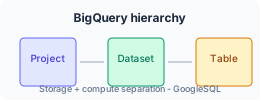
Hierarchy and Concepts
BigQuery organizes data in a simple hierarchy:
Project → Dataset → Table → Rows
- Project — Billing and API enablement.
- Dataset — Container for tables and views; usually one per application or domain.
- Table — Structured data (native table, external table, or view).
- Row — A single record.
Storage and compute are separate: you pay for storage (per GB/month) and for query compute (per TB scanned). That allows independent scaling and cost control. See BigQuery pricing on the official site.
Getting Started Without Credit Card: Sandbox
You can try BigQuery in the sandbox with no credit card:
- Try BigQuery using the sandbox — Query a public dataset in the console.
- New Google Cloud users also get $300 in free credits — Google Cloud Free Program.
Load Data (Official Options)
From the developer overview:
- Batch load — Load from Cloud Storage, local files, or other sources; supports many formats (CSV, JSON, Avro, Parquet, etc.).
- Streaming — Insert rows in real time via the Storage Write API or streaming insert API.
- Query results — Create tables or views from
SELECTstatements. - Console — Use the Load data quickstart to load from the Google Cloud Console.
Query with GoogleSQL
- BigQuery uses GoogleSQL (SQL dialect).
- You can run queries in the console, via the
bqCLI, or with client libraries (e.g. Python, Java, Node.js). - Scheduling, saved queries, and sharing are available — see BigQuery documentation.
Example (conceptual):
SELECT column1, column2
FROM `project_id.dataset_id.table_id`
WHERE condition
LIMIT 10;
Replace project_id, dataset_id, and table_id with your resource names. Full syntax and best practices: Querying data on cloud.google.com.
Developer Tools and Features (Official List)
From the BigQuery developer overview:
| Feature | What it does |
|---|---|
| BigQuery ML | Train and run ML models using SQL. |
| Remote functions | Implement logic in Cloud Run (or other HTTP endpoints) and call it from SQL. |
| SQL stored procedures | Reusable, parameterized SQL scripts. |
| Time travel | Query table state from the last 7 days (for deleted or overwritten data). |
| Scheduled queries | Run queries on a schedule (e.g. daily ETL). |
These are all in scope for building data-driven applications and for the Professional Cloud Developer exam.
Working with BigQuery: Console, bq, and Code
- Google Cloud Console — Web UI for ad-hoc queries, loading data, and managing datasets and tables.
bqcommand-line tool — Use the bq tool for scripts and automation.- Client libraries — BigQuery client libraries for Python, Java, Node.js, Go, etc., from the official docs.
References (Google sources only)
- BigQuery developer overview — BigQuery | Google Cloud Documentation
- Load data (console quickstart) — BigQuery | Google Cloud Documentation
- Try BigQuery using the sandbox — BigQuery | Google Cloud Documentation
- Use the bq tool — Google Cloud Documentation
- BigQuery pricing — Google Cloud
- BigQuery client libraries — Google Cloud Documentation